
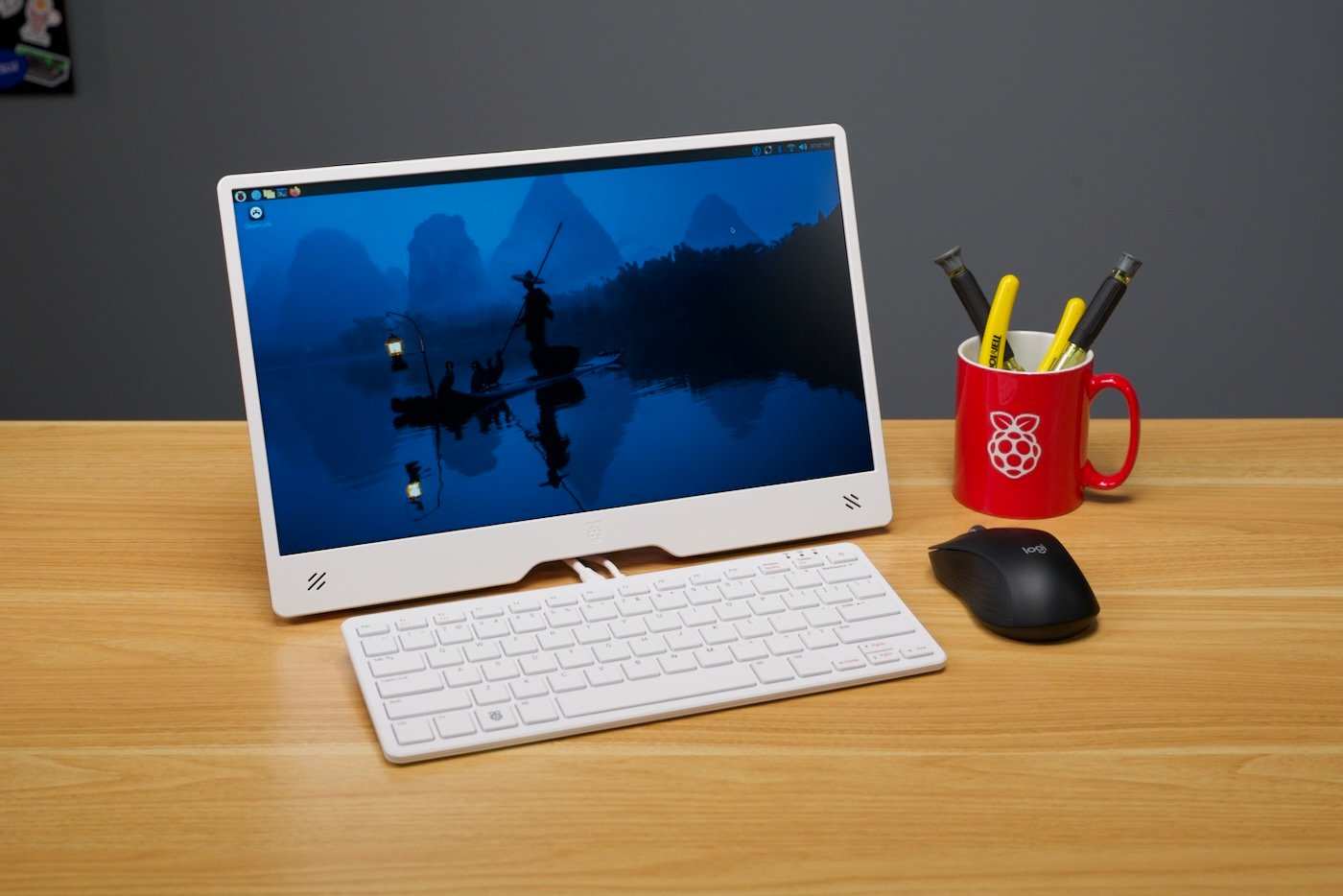
A Premium All-in-One Arm Desktop for $200–$220
Released September 2025 · Reviewed December 2025
For over a decade, the Raspberry Pi Foundation has teased us with the dream of a true “computer in a keyboard” that could replace a real desktop. The Pi 400 (2020) was cute but underpowered. The Pi 500 (late 2024) finally brought Pi 5-level performance, but shipped with only 8 GB RAM and a sluggish microSD card.
The Raspberry Pi 500+ is the version everyone was actually waiting for.
Priced at $200 (bare unit) or $220 (full Desktop Kit), it packs:
- 16 GB LPDDR4X-4267 RAM (the maximum the BCM2712 supports)
- Factory-installed 256 GB NVMe SSD (PCIe Gen 2 ×1)
- Low-profile mechanical keyboard with hot-swappable Gateron KS-33 Blue switches
- Per-key RGB lighting
- The full Raspberry Pi 5 silicon (2.4 GHz quad Cortex-A76, VideoCore VII GPU, RP1 I/O)
After living with it as my daily driver for six weeks—coding, writing, 4K video playback, retro emulation, and even light photo editing—here’s the complete, no-holds-barred verdict.
What’s in the Box
$200 Base Unit
- Raspberry Pi 500+ keyboard computer (pre-installed Raspberry Pi OS Bookworm on NVMe)
- USB-C to USB-C cable (for flashing/updates, not power)
- Keycap/switch puller
- Quick-start card
$220 Official Desktop Kit (highly recommended)
- Everything above
- Official Raspberry Pi USB-C 27 W (5 V/5 A) power supply
- Official Raspberry Pi mouse (red/white, 800–3200 dpi)
- 1 m micro-HDMI → full-size HDMI cable
- 128 GB microSD card pre-loaded with Raspberry Pi OS (backup/recovery)
- Printed Beginner’s Guide (2025 edition)
Build Quality & Design
The Weight: 592 g (noticeably heavier and more planted than the 385 g Pi 500)
Dimensions: 327 mm × 131 mm × 31 mm (slightly thicker to accommodate mechanical switches and larger heatsink)
Chassis: Matte black ABS with soft-touch coating, aluminum internal frame
Cooling: One-piece extruded aluminum heatsink spanning the entire underside—completely passive and dead silent
Keyboard: 84/85/88-key ANSI/ISO/UK layouts, Gateron KS-33 low-profile Blue switches (clicky, 50 g actuation, 1.3 mm pre-travel, 3.2 mm total travel), PBT shine-through keycaps, per-key RGB (16.8 M colors, 12 preset effects + open-source control)
Ports (all on the rear):
- 2× USB 3.2 Gen 1 Type-A (5 Gbps)
- 1× USB 2.0 Type-A
- Gigabit Ethernet (PoE+ pads unpopulated but present)
- 2× micro-HDMI 2.0 (4 K 60 Hz each, or 4 K 120 Hz on one with DSC)
- USB-C power (5 V/5 A required)
- 40-pin GPIO breakout header (requires $8 official adapter ribbon)
- MicroSD card slot (push-push)
- Kensington lock slot
The mechanical keyboard is the single biggest upgrade. It’s louder than a laptop chiclet deck (≈60 dBA peak) but quieter than a full-size Cherry Blue board, and the tactile feedback makes extended typing sessions genuinely enjoyable. RGB lighting is bright and even, and because the firmware is open you can flash QMK/VIA forks if you want total control.
Performance Benchmarks (Raspberry Pi OS Bookworm 64-bit, Dec 2025 kernel/firmware)
| Test | Raspberry Pi 500+ (16 GB) | Raspberry Pi 500 (8 GB, microSD) | Raspberry Pi 5 (8 GB + NVMe HAT) | Intel N100 mini-PC (typical) |
|---|---|---|---|---|
| Geekbench 6 Single / Multi | 1,204 / 3,812 | 1,190 / 3,420 | 1,200 / 3,800 | 1,100 / 3,300 |
| Sysbench CPU (multi) | 2,510 | 2,480 | 2,500 | ~2,300 |
| NVMe sequential read/write | 505 / 445 MB/s | ~90 MB/s (microSD) | 900 MB/s (PCIe Gen 3 HAT) | 2,500–7,000 MB/s |
| Boot to desktop | 8.7 seconds | 31 seconds | 9–12 s | 12–18 s |
| 4K60 HEVC YouTube (Chrome) | Perfectly smooth | Occasional drops | Perfect | Perfect |
| PCSX2 (PS2) 1080p | 55–60 fps (most titles) | 35–50 fps | Identical | 60 fps |
Real-world multitasking is excellent: 30+ Chromium tabs, Spotify, VS Code, Ollama (Phi-3-mini-4k running locally), and a 4K video in the background never pushed RAM usage above 11 GB. Compile times for moderate C++/Rust projects are roughly on par with a 12th-gen Intel i3 laptop.
Thermals & Power
Idle: 32–36 °C
Full multi-core load (stress-ng –cpu 4 –cpu-method matrixprod, 30 min): 58 °C max
Peak power draw: 11.8 W (RGB full white, CPU+GPU stress)
No throttling ever observed, even in a closed desk drawer. The extra mass and aluminum make a huge difference over the standard Pi 500, which could hit 72 °C and throttle under the same load.
Software Experience
Ships with Raspberry Pi OS Bookworm (Debian 12 base) optimized for the hardware. Wayland compositor is buttery smooth at 4K, HDR works on compatible displays, and the new Chromium 130 snaps pages open instantly thanks to NVMe caching.
Alternative OS support is outstanding:
- Ubuntu 24.10 Desktop – perfect
- Manjaro ARM – perfect
- Fedora 41 – perfect
- Windows 11 on Arm (unofficial) – runs but very slow USB and no GPU acceleration yet
- Batocera / Recalbox – PS2/Dreamcast/Wii at full speed
Who This Is For
Perfect match
- Students and first-time Linux users who want a real keyboard experience
- Writers, coders, sysadmins who live in the terminal or lightweight IDEs
- Retro-gaming enthusiasts (best plug-and-play emulation box under $300)
- Home lab / kiosk / digital signage deployments
- Anyone who wants a silent, energy-sipping desktop that costs pennies to run 24/7
Probably not for you if
- You need x86 software (Adobe suite, most AAA games, many enterprise VPN clients)
- You do heavy video editing or 3D rendering
- You hate clicky keyboards in shared offices
- You were hoping for a built-in PCIe slot (there isn’t one)
Final Scoring
| Category | Score | Notes |
|---|---|---|
| Build quality | 9.5 | Feels like a $400 product |
| Keyboard & typing | 9.0 | Best typing experience ever on a Pi |
| Performance | 9.0 | Finally no compromises |
| Thermals & noise | 10 | Silent and cool |
| Value for money | 8.5 | Expensive for a Pi, cheap for what it is |
| Overall | 9.2/10 |
The Raspberry Pi 500+ is the first keyboard computer from the Foundation that doesn’t feel like a compromise. It’s fast, beautiful, silent, and—most importantly—fun to use every single day. At $200–$220 it’s no longer “cheap” by traditional Pi standards, but it finally delivers the complete desktop experience in a form factor that disappeared with the Commodore 64.
If you’ve been waiting for the Pi to grow up, this is it.
Highly recommended—probably the best product the Raspberry Pi Foundation has ever shipped.
The era of the modern home computer just got its flagship machine.