
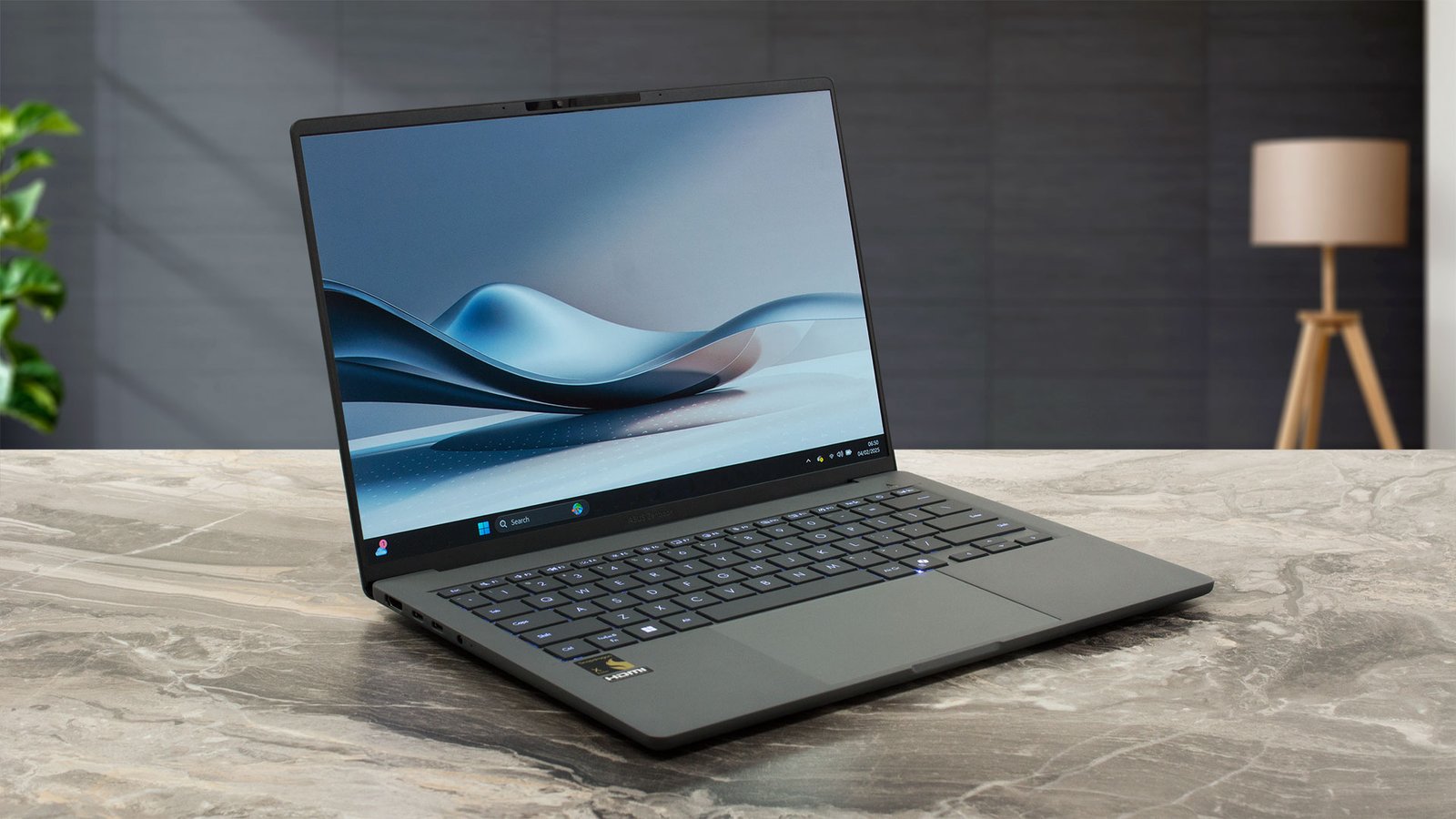
In an era where laptops are expected to do more with less—less weight, less bulk, and less drain on your time—ASUS has thrown down the gauntlet with the Zenbook A14 (model UX3407). Unveiled at CES 2025, this 14-inch powerhouse isn’t just another thin-and-light notebook; it’s a deliberate shot across the bow of the Apple MacBook Air, boasting a sub-kilogram chassis, an OLED display that rivals premium panels, and battery life that could outlast your weekend plans. Powered by Qualcomm’s Snapdragon X series processors, the Zenbook A14 is ASUS’s first foray into the Copilot+ PC ecosystem, blending ARM efficiency with Windows 11’s AI smarts. But does it live up to the hype? Let’s dive deep into what makes this laptop a game-changer for digital nomads, students, and professionals who prioritize mobility without compromise.
Design and Build: Featherweight Meets Fortified
At first glance, the Zenbook A14 looks like it could slip into a jacket pocket rather than a backpack. Weighing in at a mere 980 grams (just over 2.16 pounds), it’s the lightest 14-inch Copilot+ PC on the market, edging out competitors like the ThinkPad X1 Carbon by a slim margin and undercutting the MacBook Air M3 by about half a pound. This featherlight feel isn’t achieved through flimsy materials; ASUS employs its proprietary Ceraluminum—a ceramic-infused aluminum alloy that’s 30% lighter and three times stronger than traditional anodized aluminum. The result? A chassis that’s not only durable enough to meet MIL-STD 810H military-grade standards for drops, vibrations, and extreme temperatures but also features a smudge-resistant, matte texture that feels premium to the touch.
Measuring 12.2 x 8.4 x 0.5 inches (31 x 21.3 x 1.3 cm), the A14’s slim profile includes a 90% screen-to-body ratio, thanks to ultra-thin bezels that maximize real estate without sacrificing structural integrity. It comes in two understated color options: Iceland Gray, a cool, professional slate, and Zabriskie Beige, a warm, sandy hue that adds a touch of elegance. The all-around Ceraluminum treatment extends to the lid, palm rest, and even the underside, giving it a stone-like, fingerprint-repelling finish that’s as practical as it is stylish. Reviewers have noted how surprisingly rigid it feels despite the low weight—pick it up by one corner, and it doesn’t flex or wobble, making it ideal for travel-worn bags or crowded coffee shops.
Display: OLED Brilliance in a Portable Package
The heart of the Zenbook A14’s visual appeal is its 14-inch WUXGA (1920 x 1200) OLED panel, a 16:10 aspect ratio touchscreen that delivers punchy colors and deep blacks without the power-hungry pitfalls of traditional OLEDs. With 100% DCI-P3 color gamut coverage, 600 nits peak HDR brightness, and VESA DisplayHDR True Black 600 certification, it’s tailored for creators and media enthusiasts who demand accuracy on the go. The 0.2ms response time and 60Hz refresh rate ensure smooth scrolling and video playback, though some reviewers wish for a higher refresh rate to match the panel’s vibrancy.
TÜV Rheinland-certified for low blue light, the glossy display reduces eye strain during long sessions, and its anti-glare coating handles ambient light surprisingly well for an OLED—though it’s not entirely matte, so reflections can appear in bright environments. In real-world tests, the screen excels at everything from photo editing to Netflix binges, with HDR content popping thanks to the panel’s infinite contrast ratio. It’s a step above the MacBook Air’s LCD in color fidelity and a rare treat at this price point.

Performance and AI: Snapdragon Smarts for Everyday Wins
Under the hood, the Zenbook A14 runs on Qualcomm’s Snapdragon X series, with configurations spanning the entry-level X (X1-26-100, 8-core up to 2.97GHz), mid-tier X Plus (X1P-42-100), and top-end X Elite (X1E-78-100). Paired with up to 32GB of LPDDR5X RAM and 1TB PCIe Gen 4 SSD storage, it’s optimized for efficiency rather than raw horsepower. The integrated Qualcomm Hexagon NPU (up to 45 TOPS) powers Copilot+ features like Live Captions, AI image generation in Paint, and Windows Studio Effects for video calls, making it a seamless AI companion.
Benchmarks reveal solid productivity chops: In PCMark 10, it scores around 6,500, handling multitasking like 20+ Chrome tabs, Word docs, and Zoom calls with ease. Geekbench 6 single-core hits 2,400, multi-core around 12,000—competitive with Intel’s Core Ultra but trailing Apple’s M3 in creative workloads. The Adreno GPU manages light photo editing in Lightroom but stumbles on 4K video exports or gaming, where emulation overhead for x86 apps can cause hitches. As a Windows on ARM device, compatibility has improved—most apps run natively or via Prism emulation—but niche software like some engineering tools may require workarounds. For students or coders (think VS Code, Python scripting), it’s more than capable; power users might crave the X Elite variant for future-proofing.
Battery Life: A Marathon in Ultralight Form
ASUS’s bold claim of up to 32 hours of video playback isn’t marketing fluff—real-world tests clock it at 20-24 hours of mixed use (web browsing, docs, streaming at 150 nits). The 70Wh battery, combined with Snapdragon’s ARM architecture, sips power: CNET’s loop hit 25 hours, outpacing the HP OmniBook X 14 by a hair and humiliating the MacBook Air’s 18-hour mark. Fast charging gets you 60% in 49 minutes via the included 65W USB-C adapter, and Wi-Fi 6E ensures efficient connectivity without draining the tank.
Keyboard, Trackpad, and Connectivity: Thoughtful Touches
The backlit chiclet keyboard offers 1.3mm key travel for comfortable typing, with a full numpad layout squeezed into the compact frame. It’s spill-resistant and includes dedicated Copilot and MyASUS keys for quick AI access. The oversized glass trackpad supports smart gestures—swipe the edges for volume or brightness—adding intuitive flair.
Ports are generous for an ultrabook: two USB4 Type-C (with Power Delivery and DisplayPort), one USB-A 3.2 Gen 2, HDMI 2.1, a 3.5mm audio jack, and a microSD reader. Bluetooth 5.3 and Wi-Fi 6E round out the wireless suite, supporting up to three external 4K displays.
Audio comes from a quad-speaker setup with Harman Kardon tuning and Smart Amp tech, delivering clear, bassy sound for calls or podcasts—though it’s no audiophile setup. The 1080p IR webcam handles Windows Hello facial login but lacks a privacy shutter, a minor oversight.
Pricing and Availability: Value That Undercuts the Competition
The Zenbook A14 hit shelves in January 2025, with the base Iceland Gray model (Snapdragon X, 32GB RAM, 1TB SSD) at $1,099.99 from ASUS and Best Buy. The more affordable Zabriskie Beige variant (Snapdragon X Plus, 16GB RAM, 512GB SSD) launched in March at $899.99 (now $999.99 at Best Buy), making it a steal compared to the $1,099 MacBook Air M3. Higher configs with X Elite top out around $1,399.
Pros and Cons: The Verdict
Pros:
- Unmatched lightness and build quality
- Stunning OLED display with excellent color
- Epic battery life for all-day (and then some) use
- AI-ready performance at a competitive price
- Robust port selection
Cons:
- ARM compatibility quirks for some apps
- No fingerprint reader or webcam shutter
- 60Hz refresh rate feels dated
- Not ideal for heavy creative or gaming workloads
Final Thoughts: A Nomad’s Dream, With Room to Grow
The ASUS Zenbook A14 isn’t trying to be everything to everyone—it’s a laser-focused triumph for those who live untethered. Its sub-1kg frame, luminous OLED screen, and battery that laughs at outlets make it the ultimate travel companion, earning rave reviews from outlets like CNET (8.5/10) and PCMag for “lightest yet sturdiest” design. As Windows on ARM matures, expect even fewer hiccups, but even now, it’s a worthy MacBook Air rival that delivers more screen real estate and ports for less cash. If portability is your priority, the A14 isn’t just a laptop—it’s liberation. Grab the $899 model if you’re budget-conscious; otherwise, splurge on the 32GB config for longevity. In a world of heavy hitters, ASUS has crafted a feather that flies high.